
Fresh grids for your manuscript
Build Sudoku sections and choose the number of puzzles that suits your project, within your plan limits.
Print-ready Sudoku books
Puzzle Creator builds 9×9 Sudoku grids, validates them automatically, and assembles the puzzles and their answers into a PDF using the print sizes available in the app.
Build Sudoku sections and choose the number of puzzles that suits your project, within your plan limits.
An independent validator checks every generated grid before it can enter the PDF.
A numbered solutions section is appended automatically at the end of the book.
Enter the title, author, book language, trim size, and Sudoku sections.
Distribute grids across Easy, Medium, and Hard sections for your intended readers.
Puzzle Creator generates the puzzles, validates the solutions, and assembles the paginated manuscript.
The Standard builder supports 6 × 9 in and 8.5 × 11 in. A separate 8.5 × 11 in Large Print preset with 100 Easy and Medium Sudoku puzzles is available on compatible plans.
Easy, Medium, and Hard can be placed in separate sections. The Large Print preset follows a fixed structure of 60 Easy and 40 Medium puzzles.
After generation, the solver confirms that the grid has exactly one solution. A rejected grid is not placed into the finished puzzle section.
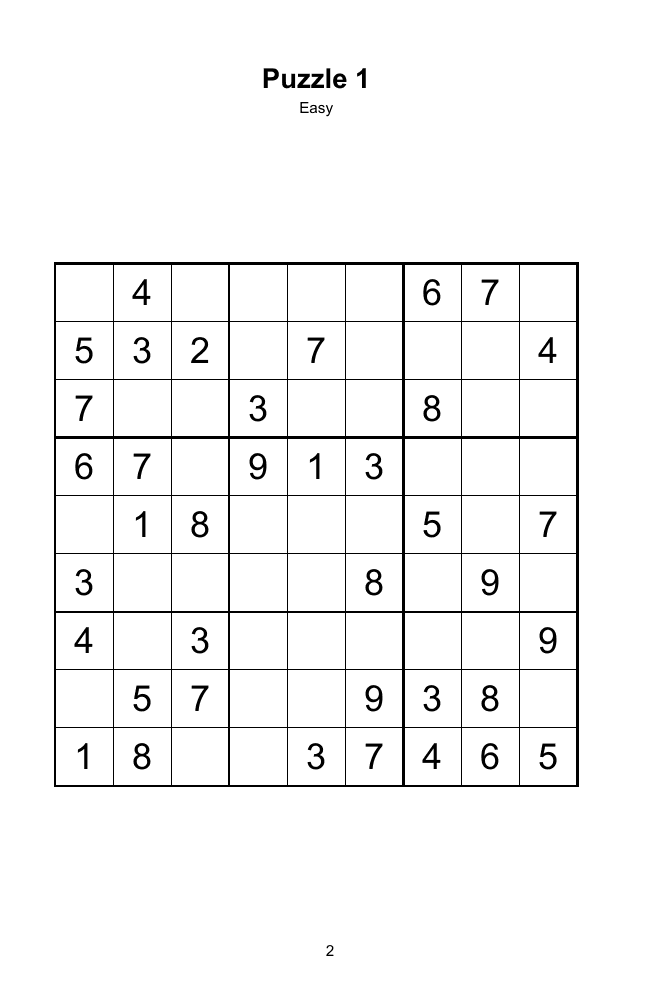
This preview comes from the sample book generated by Puzzle Creator and shows the grid, difficulty label, and page layout used in the PDF.
Download the complete sample book →Yes. Numbered solution grids are grouped automatically at the end of the PDF.
Yes. The Standard builder lets you create multiple sections and assign a difficulty to each one.
The builder supports 6 × 9 in and 8.5 × 11 in. The Large Print preset uses 8.5 × 11 in.
Yes. The Free plan can generate one watermarked preview book within the limits shown on the Pricing section.
Publishing themed activity books too? See how word lists, readable grids, and highlighted answers work.
Explore the word search generator →Open a free account, configure your manuscript, and review the PDF before choosing a paid plan.
Create a book for free